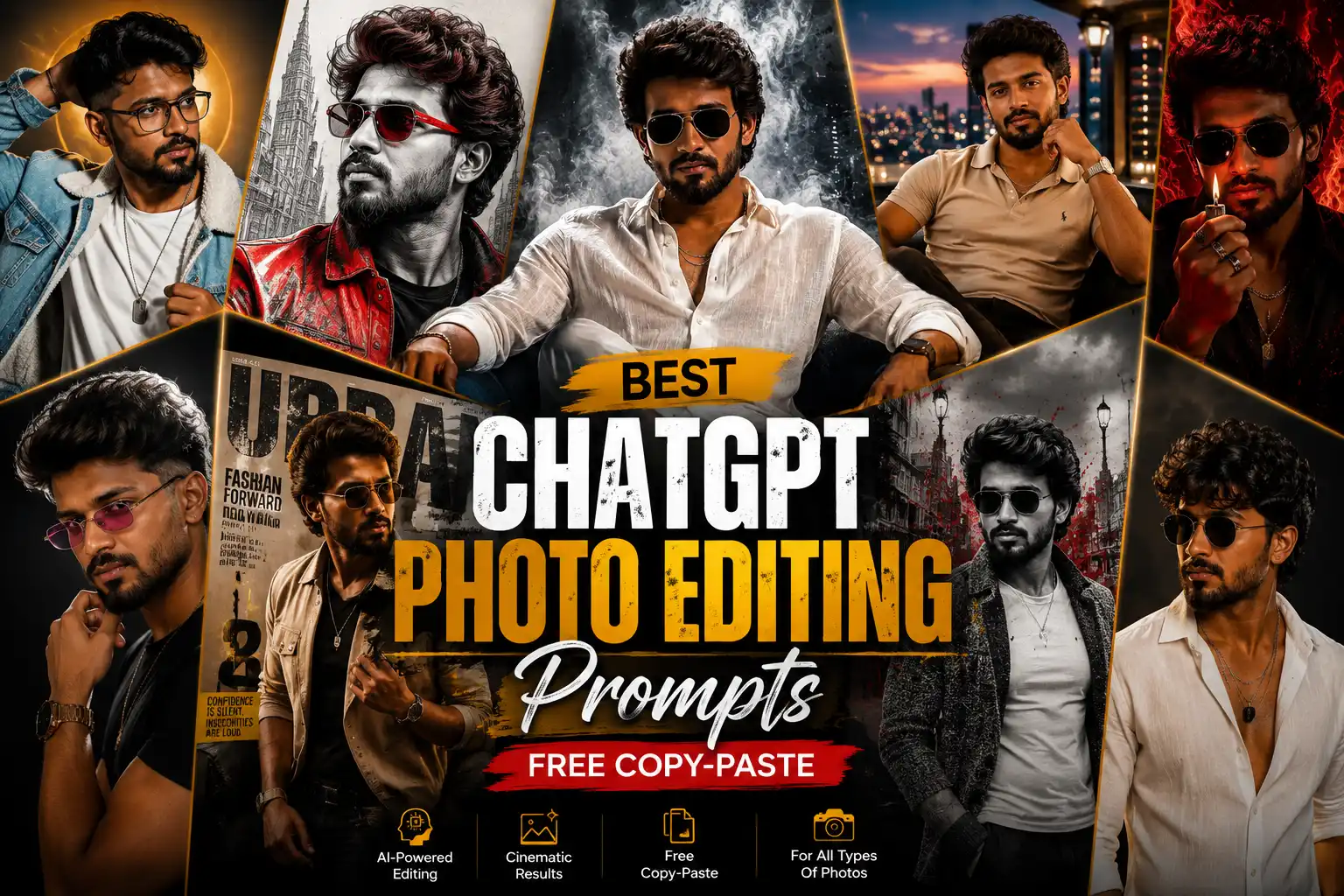
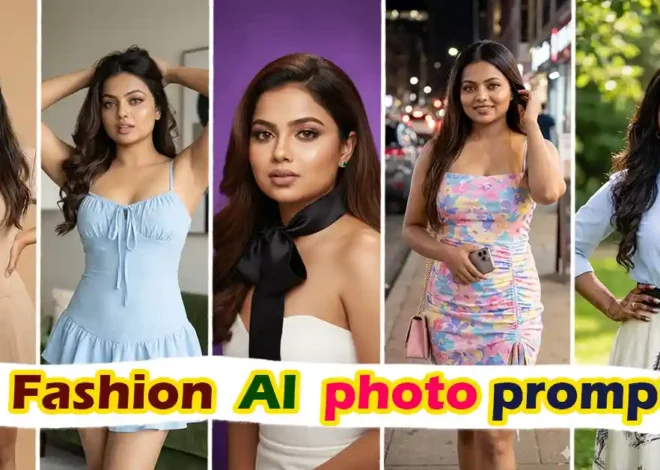
Want to transform ordinary photos into stunning masterpieces without learning complex editing software? You’re in the right place.
With ChatGPT-powered image editing, you can describe exactly what you want, and AI can handle the rest. Whether you’re editing selfies, product photos, travel pictures, portraits, or social media content, the right prompt makes all the difference.
In this guide, you’ll discover 100+ free ChatGPT photo editing prompts that you can copy and paste instantly. These prompts work great for AI image editing and can help you create professional-looking photos in seconds.Disclosure: This article contains affiliate links. We may earn a commission at no additional cost to you.
What Are ChatGPT Photo Editing Prompts?
ChatGPT photo editing prompts are detailed instructions you provide when editing an existing image using ChatGPT’s image editing capabilities.
Instead of manually adjusting lighting, removing backgrounds, or applying filters, you simply describe your desired result.
For example:
“Remove the background, replace it with a sunset beach, enhance skin tone naturally, improve lighting, and keep facial features unchanged.”
The AI interprets your instructions and edits the image accordingly.
Best ChatGPT Photo Editing Prompts copy to use :
1.Professional ChatGPT Portrait Editing Prompt
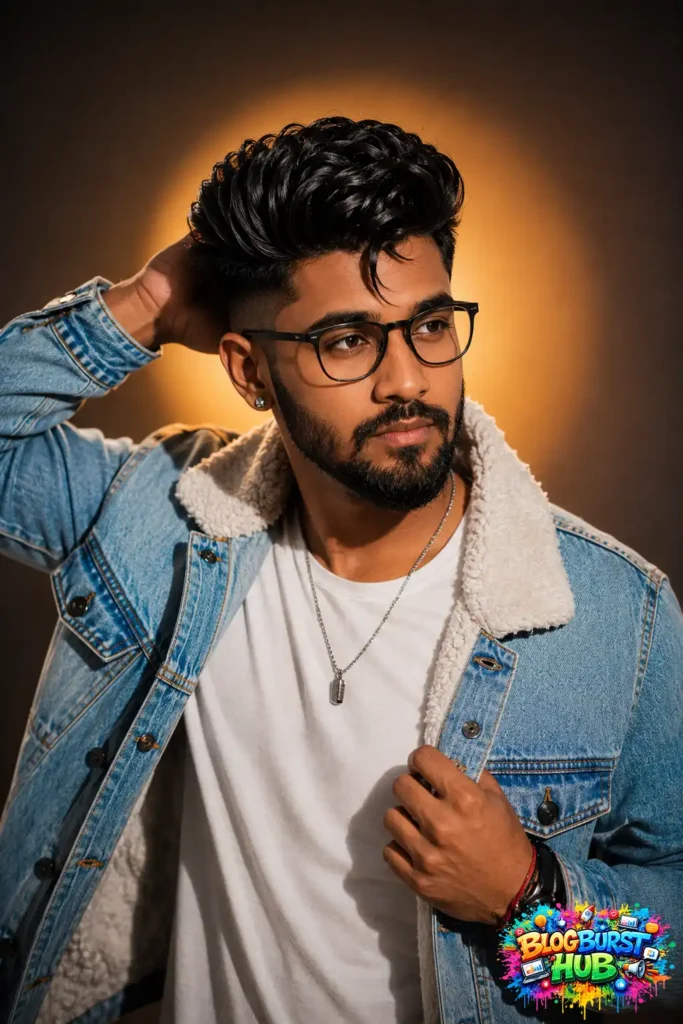
This portrait demonstrates how ChatGPT photo editing prompts can transform a simple image into a premium-quality portrait with cinematic lighting, realistic skin tones, enhanced facial details, sharp focus, and professional color grading. It’s an excellent example for creating social media profile photos, LinkedIn headshots, or portfolio images.
Professional portrait edited using ChatGPT AI photo editing prompts.
Prompt :
Create a high-end fashion studio portrait of a young man with thick, voluminous textured black hair featuring a low skin fade on the sides and a single curled fringe falling over the forehead. He has a perfectly groomed short boxed beard and mustache, sharp jawline, expressive dark eyes, and a confident, serious expression while looking off-camera to the right. He is posing with his left hand behind his head and his right hand pulling open the front of a light blue denim sherpa trucker jacket with white fleece lining. Underneath he wears a fitted white crew-neck t-shirt. Accessories include a thin silver chain necklace with a pendant, a small silver stud earring, a black wristwatch, and a red-and-black thread bracelet. The portrait is shot from the waist up at a slight three-quarter angle.
The lighting is dramatic with a large soft key light from camera left, subtle fill light from the front, and a warm golden spotlight creating a circular glow behind the subject, producing cinematic depth and soft shadows. The background is a smooth dark gray to warm amber gradient with shallow depth of field and creamy bokeh. Ultra-realistic skin texture, crisp facial hair, detailed denim fabric, sharp focus on the face, premium fashion photography, editorial magazine style, luxurious color grading, HDR, 85mm lens, f/1.8, ISO 100, 1/200 sec, ultra-detailed, photorealistic, 8K resolution.
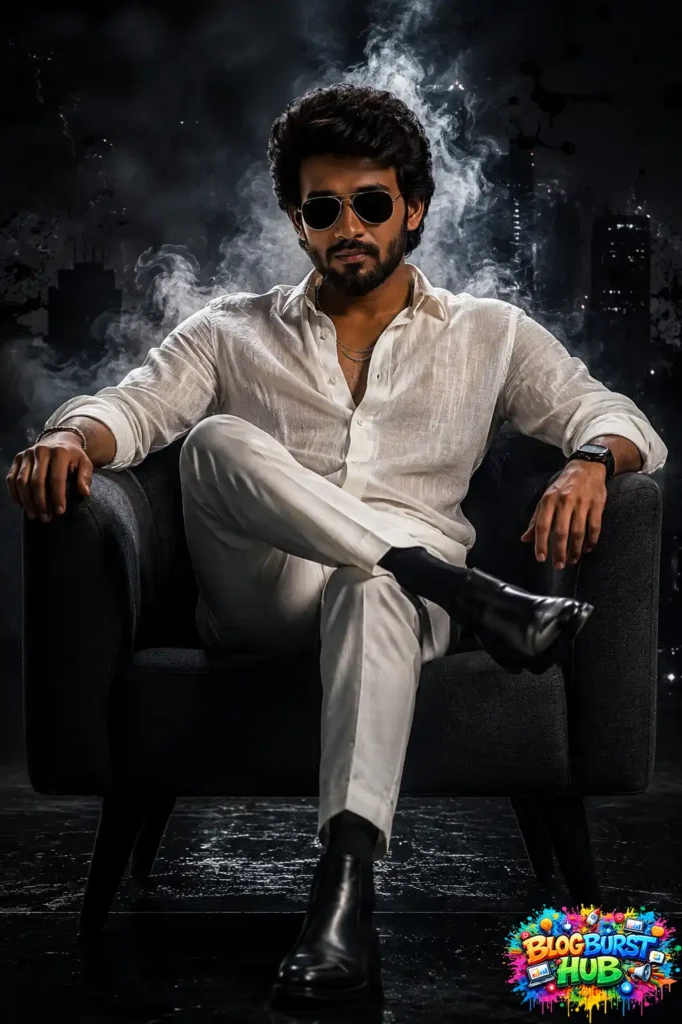
This image showcases the power of ChatGPT photo editing prompts to create a high-end cinematic portrait with a luxury mafia-inspired aesthetic. The subject is seated confidently in a modern armchair, wearing an elegant all-white outfit paired with black sunglasses and polished leather boots. Dramatic smoke rises behind the subject, while a dark urban skyline creates a mysterious, movie-like atmosphere. Professional studio lighting enhances facial features, realistic skin texture, clothing details, and shadows, producing a premium editorial-quality image. This example demonstrates how AI photo editing prompts can transform ordinary portraits into visually striking artwork suitable for fashion photography, social media branding, posters, and cinematic digital art.
A cinematic mafia-style portrait transformed using ChatGPT AI photo editing prompts.
Prompt :
Create a cinematic portrait of a rugged, handsome man with medium-length wavy black hair, a full well-groomed beard, and dark aviator sunglasses, sitting confidently in a modern charcoal-gray armchair. He wears a semi-sheer textured white linen shirt with the top buttons open, revealing part of his chest, paired with tailored white trousers, black socks, and polished black leather Chelsea boots. His right leg is crossed over his left knee, left arm resting casually on the armrest, right hand relaxed on the opposite armrest, head slightly tilted downward with a calm, intimidating expression.
Background: A dark metropolitan city skyline at night with subtle building silhouettes, surrounded by dramatic smoke, mist, grunge textures, black ink splashes, and atmospheric haze. Moody urban noir aesthetic with a luxurious crime-boss vibe.
Lighting: High-end cinematic lighting, soft key light from front-left, subtle rim light outlining the hair and shoulders, low-key lighting, deep shadows, high contrast, volumetric smoke illuminated from behind.
Color Palette: Black, charcoal gray, white, muted teal, cool cyan undertones, desaturated cinematic grading.
Composition: Centered full-body portrait, seated pose, symmetrical framing, eye-level camera angle, subject occupies most of the frame, dark negative space around the edges.
Camera: Sony A7R V, 85mm portrait lens, f/1.8, shallow depth of field, ultra-sharp focus on the subject, soft background blur.
Style: Luxury editorial photography, neo-noir, gangster aesthetic, premium movie poster, dramatic, powerful, elegant, ultra-realistic skin texture, photorealistic, HDR, 8K, masterpiece quality, extremely detailed, realistic fabric texture, cinematic atmosphere.
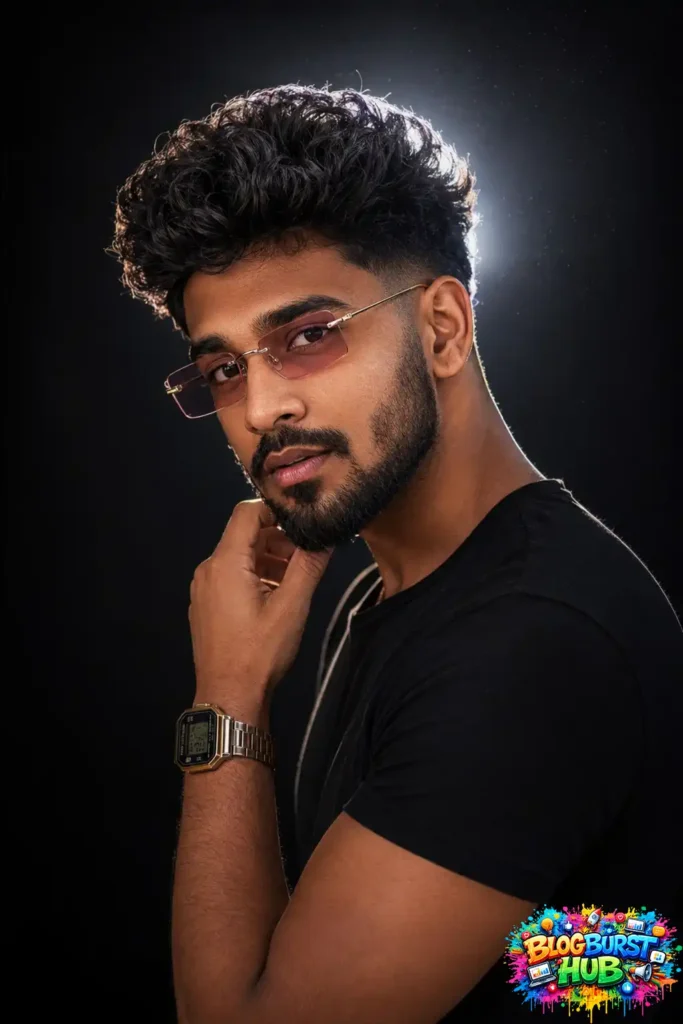
This studio portrait demonstrates advanced ChatGPT editing techniques including dramatic backlighting, realistic skin enhancement, high-definition sharpening, balanced shadows, and premium DSLR-quality color correction for a polished professional look.
Professional studio portrait edited with ChatGPT.
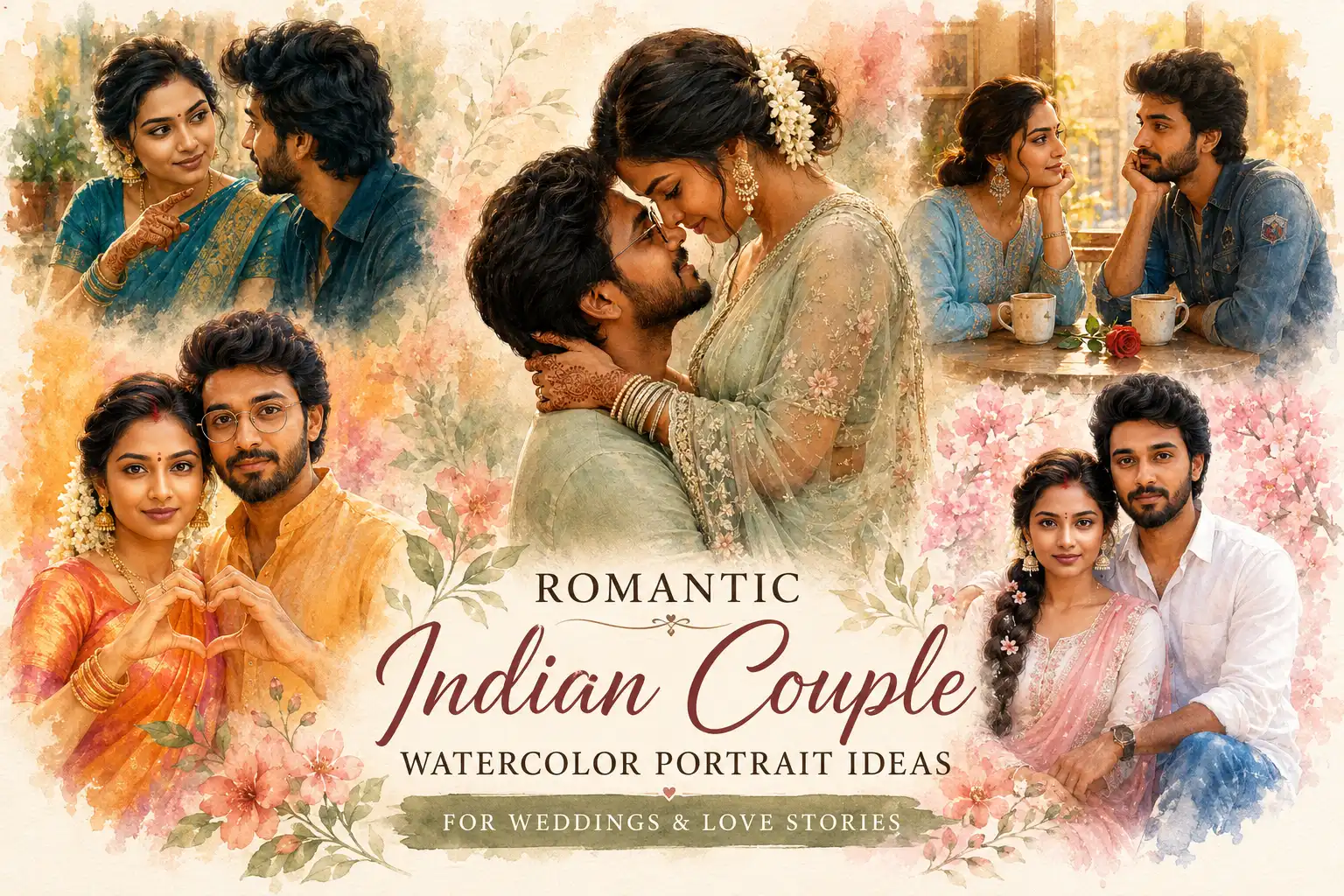
This post saree you need to check the price on below link.
Create a cinematic nighttime portrait of a stylish young man with thick, voluminous curly black hair, a sharp low fade haircut, well-groomed full beard with a clean fade, thick eyebrows, wearing slim rectangular rimless sunglasses with light pink tinted lenses, a plain fitted black t-shirt, and a vintage gold digital wristwatch on his left wrist. He is posing with his left hand touching his chin, looking confidently into the camera with slightly parted lips. Shot from a 3/4 side angle, upper body portrait. Strong bright white backlight directly behind his head creating a dramatic halo effect and rim lighting around the hair and shoulders. High-contrast studio lighting with soft frontal fill light illuminating the face. Black background, ultra-clean composition. Skin is smooth with natural texture, warm skin tones, crisp facial details, glossy lips, sharp focus on the eyes and beard. Fashion editorial photography, luxury streetwear aesthetic, ultra-realistic, DSLR quality, 85mm portrait lens, f/1.8, shallow depth of field, bokeh, HDR, 8K, photorealistic, extremely detailed, dramatic lighting, premium color grading.
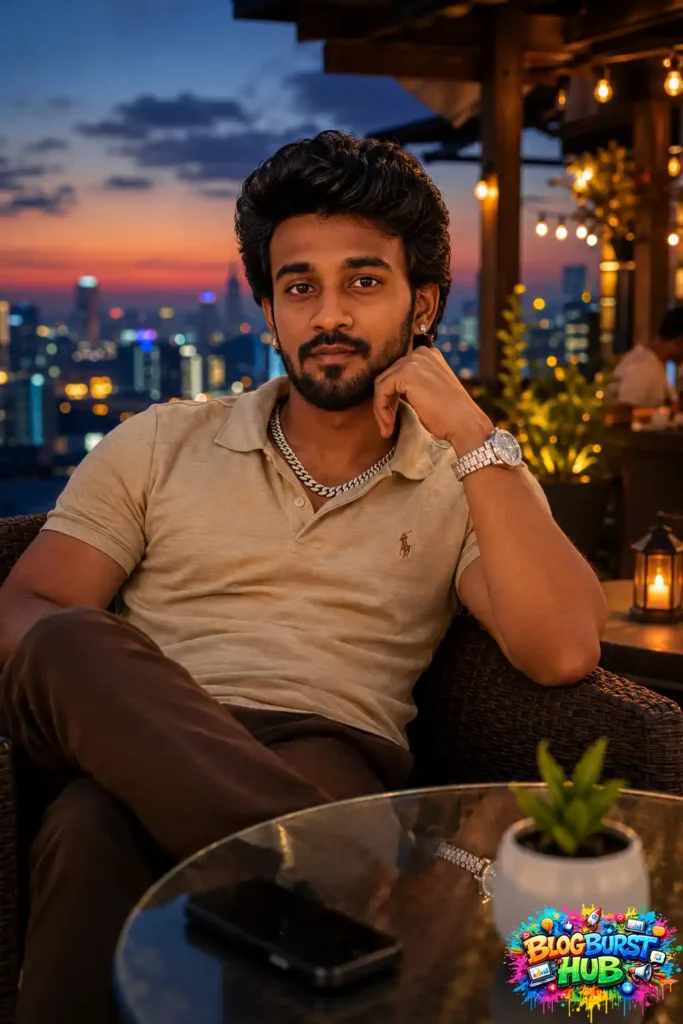
This rooftop portrait illustrates how ChatGPT photo editing prompts can create luxury lifestyle photography using golden-hour lighting, vibrant city bokeh, enhanced facial details, natural skin tones, and premium travel photography aesthetics.
Luxury lifestyle portrait created with AI editing prompts.
Prompt :
Create a photorealistic portrait of a stylish young man with thick wavy black hair, a neatly trimmed beard and mustache, medium tan skin, and a confident relaxed expression, sitting in a dark brown wicker chair at an upscale rooftop café during blue hour. He is leaning back casually with one leg crossed, his left elbow resting on the chair arm while supporting his chin with his hand, looking directly into the camera with a subtle smirk.
He is wearing a fitted beige polo shirt with a small embroidered horse logo on the chest, slim brown trousers, a thick silver Cuban link chain necklace, small silver stud earrings, and a large luxury silver diamond-encrusted wristwatch.
In front of him is a round glass-top table reflecting the watch, with a black smartphone and a small white ceramic planter containing a green succulent.
The background features a luxury rooftop restaurant with warm Edison string lights, glowing lanterns, wooden architecture, and a beautiful sunset transitioning into blue hour. A softly blurred city skyline filled with colorful bokeh lights creates depth.
Shot from a slightly low angle at waist level using an 85mm lens, f/1.8 aperture, shallow depth of field, cinematic bokeh, ultra-realistic skin texture, natural facial details, HDR photography, golden-hour mixed with warm ambient lighting, high dynamic range, premium lifestyle editorial photography, luxury fashion campaign aesthetic, razor-sharp focus on the subject, vibrant yet natural colors, highly detailed, 8K, DSLR quality, award-winning portrait photography.
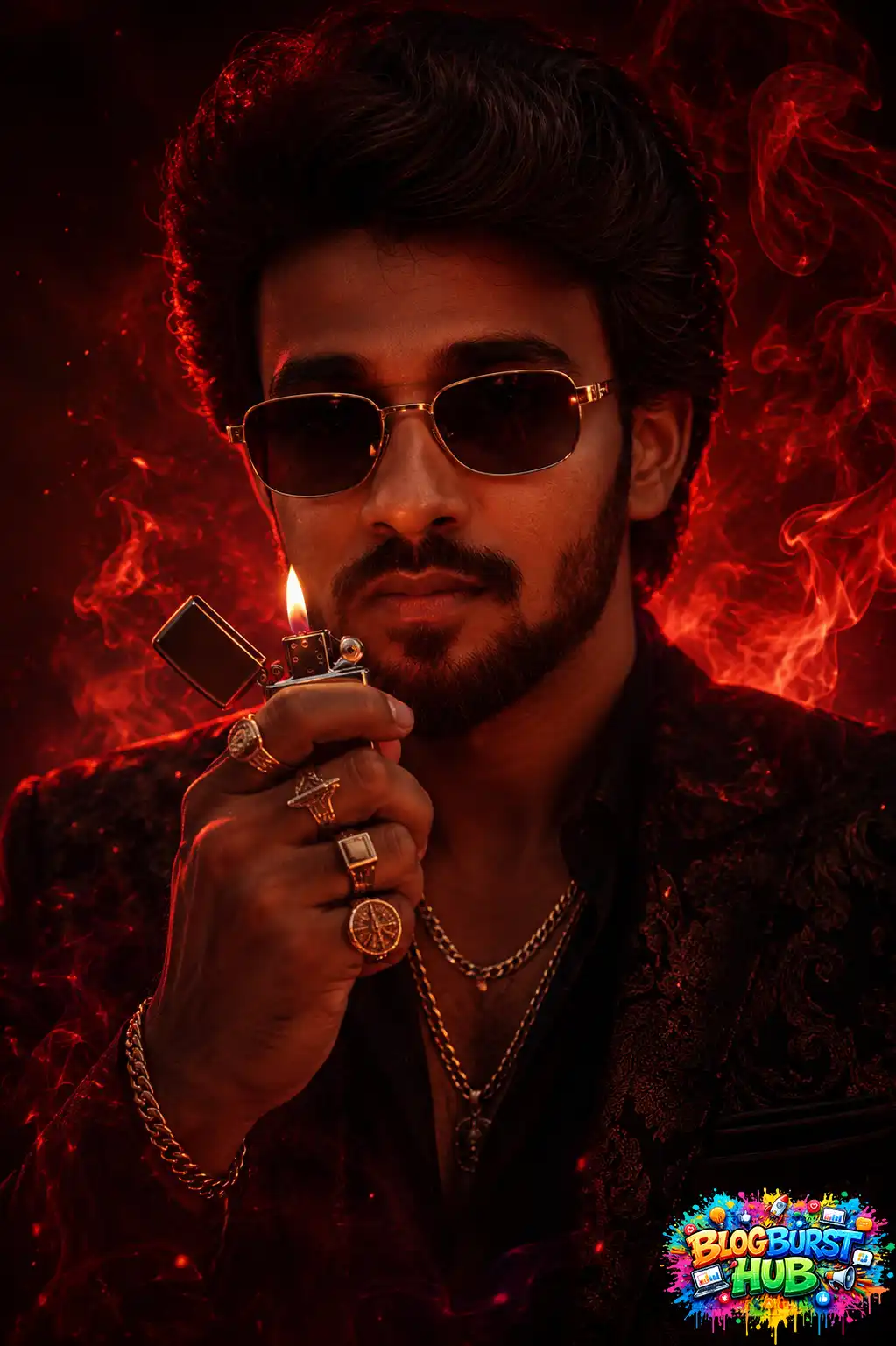
This cinematic portrait showcases advanced ChatGPT editing prompts that combine moody red smoke, luxury fashion styling, dramatic shadows, realistic skin textures, and vibrant lighting to create a movie-inspired visual effect.
AI-generated cinematic red smoke portrait.
Prompt :
Ultra-detailed cinematic gangster portrait, confident male protagonist wearing a dark luxury patterned suit, open collar black shirt, gold chains, rings and bracelet, rectangular tinted sunglasses, holding a metal lighter close to his face while lighting, intense eye contact with camera, dramatic close-up composition, head and shoulders framing, powerful boss aura, red and black color palette, fiery smoke swirling around the subject, glowing embers, high contrast lighting, strong rim light, volumetric smoke, deep shadows, luxury crime-drama movie poster aesthetic, ultra realistic skin texture, sharp facial details, rich fabric textures, cinematic depth of field, red neon glow, premium poster design, epic atmosphere, photorealistic, 8k, masterpiece, HDR, professional color grading, centered composition, dark background filled with red smoke and sparks, highly detailed lighting, movie-poster quality.
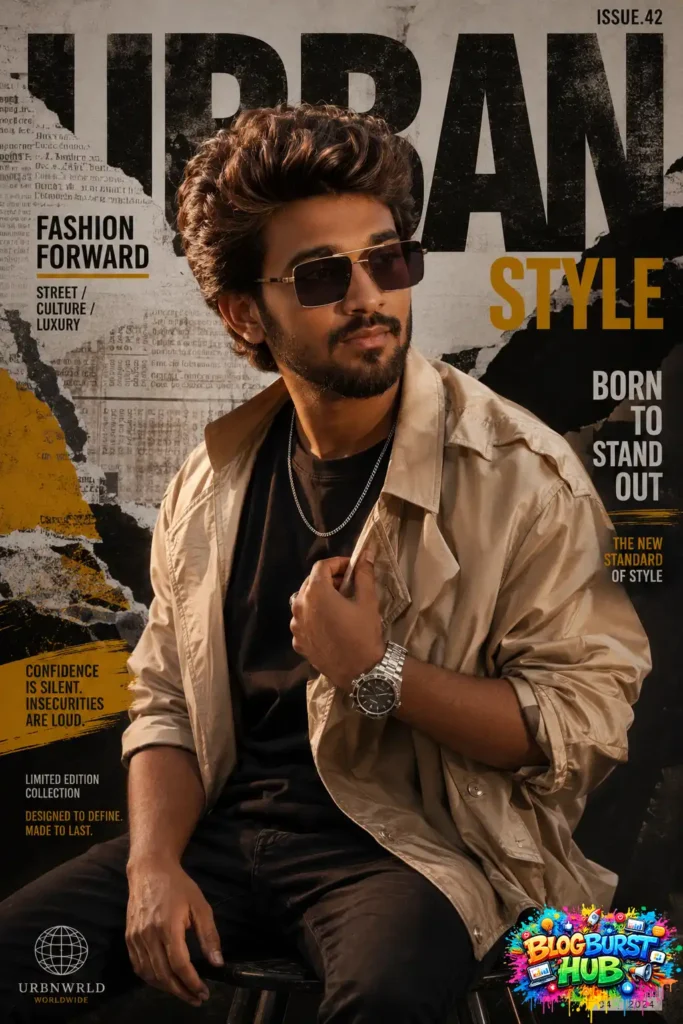
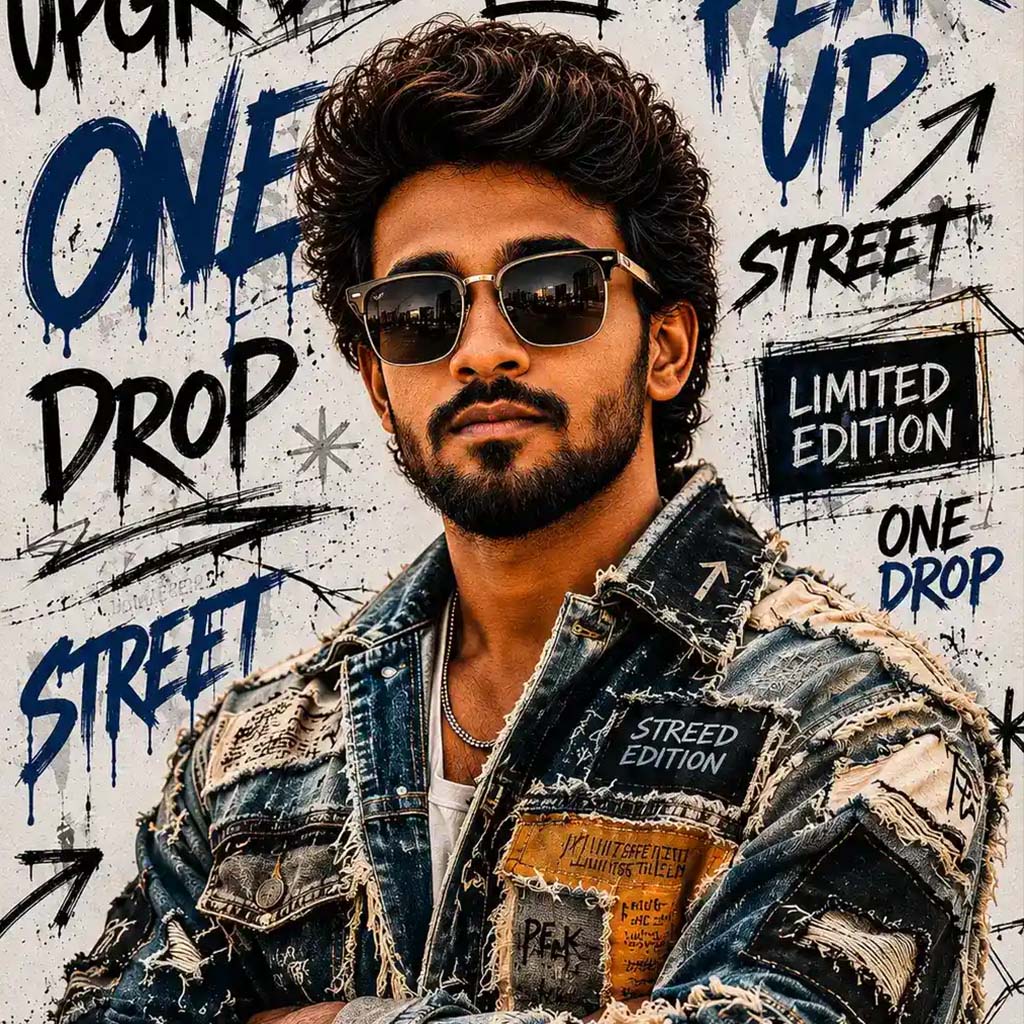
This image demonstrates how ChatGPT photo editing prompts can transform portraits into magazine-quality covers featuring editorial typography, fashion-inspired styling, premium color grading, and commercial-quality visual design.
Magazine cover design generated using ChatGPT prompts.
Prompt :
Create a stylish young man with voluminous highlighted brown hair, a well-groomed beard, and fashionable tinted square sunglasses, sitting confidently on a stool in a relaxed pose. He is wearing a black crew-neck t-shirt layered with an oversized light beige satin bomber/trench-style jacket with rolled sleeves, black jeans, a silver chain necklace, and a premium stainless steel wristwatch with a black dial. His left hand is adjusting the jacket near his chest while smiling slightly and looking away from the camera. The background is a premium urban streetwear magazine collage with torn newspaper textures, bold oversized typography, black, white, gray, and mustard yellow accents, paint brush strokes, distressed paper layers, grunge textures, editorial graphics, and luxury fashion branding aesthetics. Cinematic studio lighting with soft key light from the upper left, subtle rim lighting, high contrast, warm skin tones, shallow depth of field, ultra-sharp facial details, premium color grading, luxury fashion campaign look, Instagram influencer aesthetic, editorial magazine cover, photorealistic, 85mm lens, f/1.8, HDR, 8K, highly detailed, realistic skin texture, premium composition.
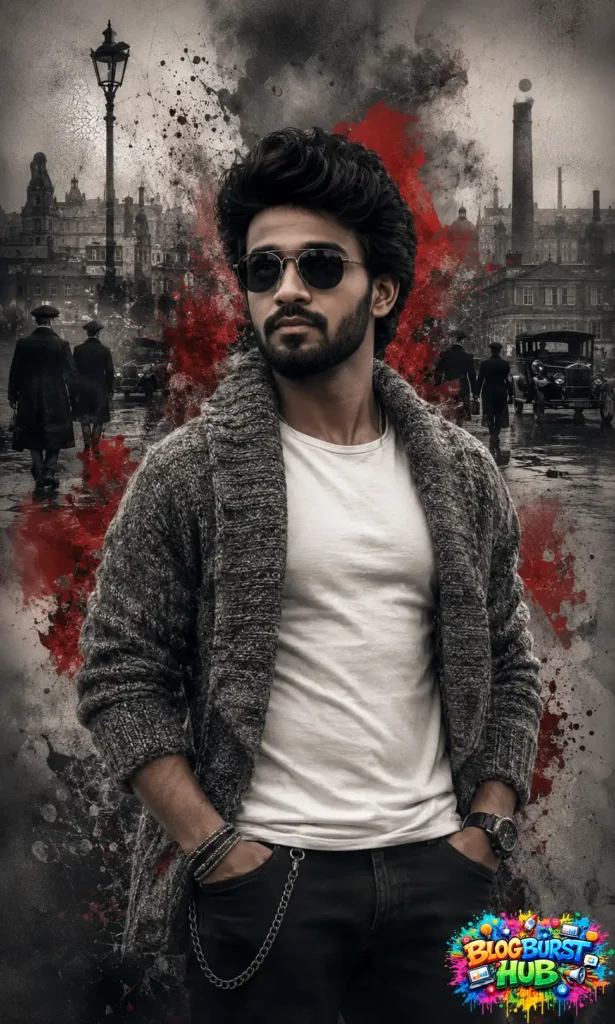
This portrait features a dramatic vintage city background combined with grunge textures, monochrome color grading, selective red highlights, and realistic portrait enhancement created using ChatGPT AI editing prompts.
Vintage cinematic portrait edited with ChatGPT.
Prompt :
Create a cinematic high-fashion portrait of a handsome young man with thick wavy medium-length black hair, a full well-groomed beard, and dark aviator sunglasses. He wears an oversized chunky knitted gray shawl cardigan draped open over a fitted white crew-neck t-shirt, black jeans with a silver wallet chain, stacked metallic bracelets, and a large black luxury wristwatch. His hands rest casually in his pockets while he looks confidently to the side with a mysterious expression.
The background is a surreal double-exposure composition blending a gritty vintage European city street from the 1920s–1930s, silhouettes of people wearing long coats and flat caps, classic antique cars, and industrial architecture. Black smoke, ink splashes, ash particles, and dramatic crimson red paint explosions emerge from behind and around the subject, seamlessly merging him with the environment.
Desaturated monochrome color palette with selective deep crimson red accents only. Ultra-detailed skin texture, realistic knitted fabric, volumetric smoke, cinematic atmosphere, high contrast, moody editorial lighting, soft diffused shadows, dramatic rim lighting, shallow depth of field, luxury fashion campaign aesthetic, digital mixed-media artwork, grunge textures, ultra-sharp focus, masterpiece, award-winning concept art, photorealistic, 8K, HDR, intricate details, premium magazine cover composition.
Centered composition, waist-up portrait, vertical framing (4:5), subtle concrete wall background fading into smoky textures, balanced negative space, realistic proportions, elegant pose, premium color grading, highly detailed, crisp focus.
8.Dark Cinematic ChatGPT Portrait Prompt
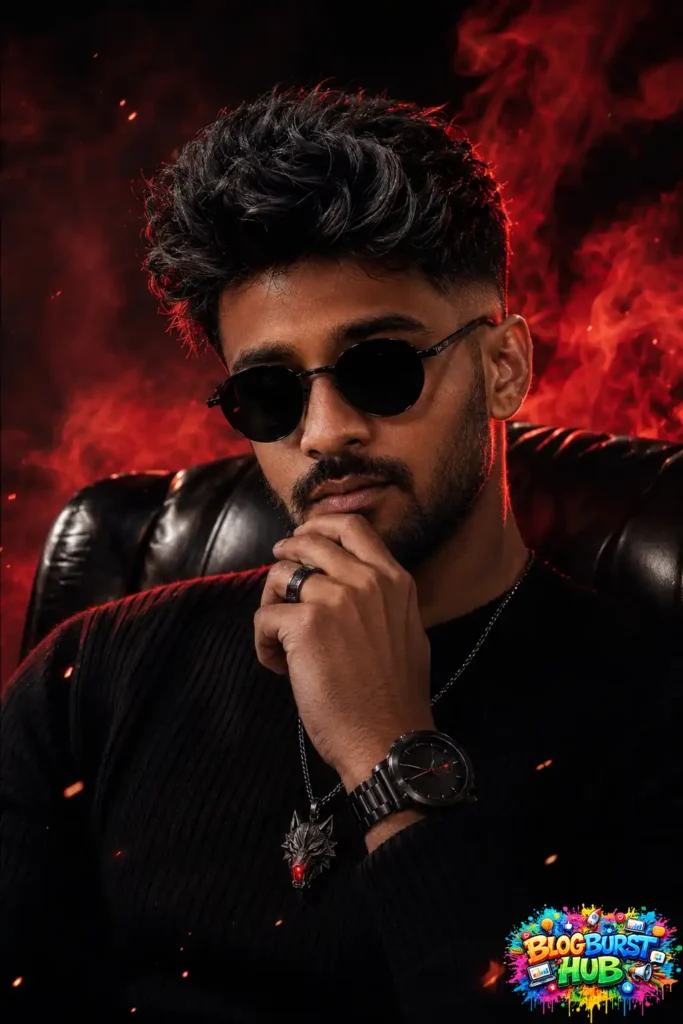
This dramatic portrait demonstrates premium ChatGPT editing techniques including luxury fashion styling, red smoke effects, dramatic contrast, realistic lighting, premium skin retouching, and ultra-HD cinematic color grading.
Dark cinematic portrait with glowing red smoke.
Prompt :
Ultra-realistic cinematic portrait of a handsome young man (24–28 years old) with a sharp masculine jawline, warm tan skin, thick textured messy black hair with subtle silver highlights at the tips, modern low fade haircut, light stubble beard, full eyebrows, wearing round matte black sunglasses. He is seated confidently in a luxurious black leather chair with one hand resting thoughtfully on his chin. He wears a fitted black ribbed knit sweater, a black stainless steel luxury watch with a black dial, a black statement ring, a dark gunmetal chain necklace featuring an angular wolf-head pendant with a glowing red gemstone. Intense confident expression, model-like facial symmetry, athletic physique, luxury fashion editorial style. Dramatic crimson red rim lighting from behind creating glowing edges around the hair and shoulders, soft diffused key light on the face, deep black shadows, volumetric lighting, red smoke swirling in the background, floating glowing embers, dark cinematic atmosphere, shallow depth of field, razor-sharp focus on the face, highly detailed skin pores, realistic hair strands, HDR, hyperrealistic, 8K, Octane Render, Unreal Engine, global illumination, high contrast, premium color grading, masterpiece, award-winning fashion photography.
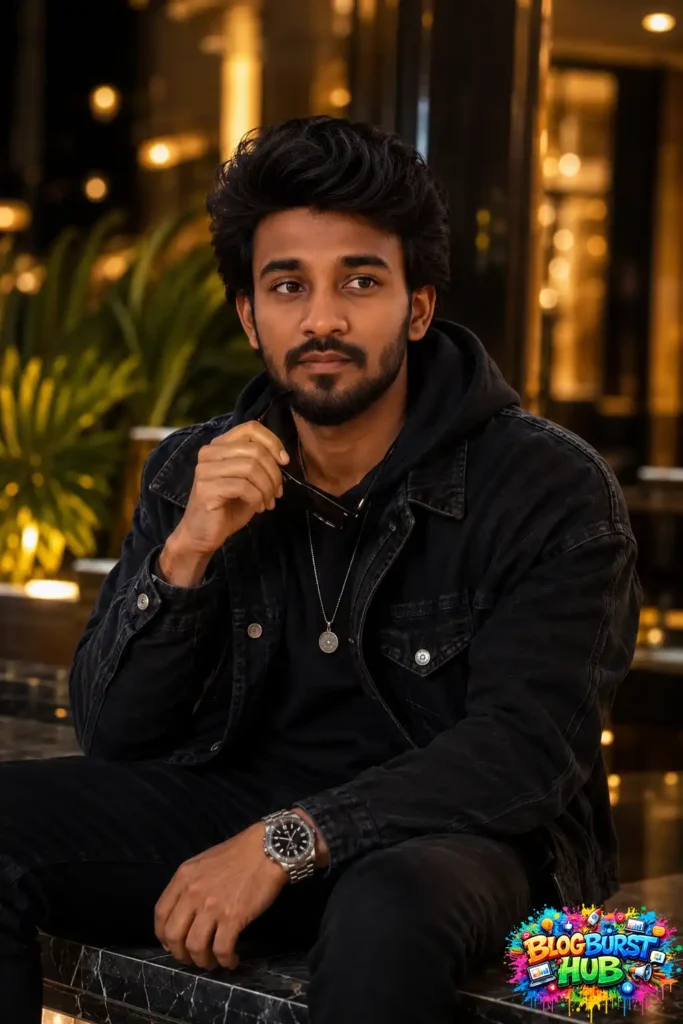
This portrait highlights realistic ChatGPT AI enhancements including natural skin retouching, soft bokeh background, premium lighting, improved facial sharpness, balanced colors, and realistic portrait photography suitable for social media or personal branding.
Modern portrait enhanced with AI editing.
Prompt :
Ultra-realistic cinematic portrait of a stylish young man sitting on a polished marble ledge in a luxury outdoor urban setting at night. He is wearing an oversized black hoodie layered under a black washed denim jacket with silver buttons. A minimalist silver pendant necklace hangs over the hoodie. On his left wrist is a stainless steel luxury sports watch with a black dial. He holds a pair of black sunglasses casually in his right hand near his chin while looking away from the camera with a calm, confident expression. Thick textured black hair with high volume and a modern messy quiff, well-groomed short beard, defined jawline, thick eyebrows. Relaxed seated pose with one arm resting naturally and the other holding the sunglasses. Background features warm golden bokeh lights, luxury hotel ambience, palm plants, modern architecture, and glossy black columns. Night photography with cinematic warm lighting illuminating the face from the front-left, soft shadows, shallow depth of field, creamy bokeh, premium fashion editorial look. Shot on an 85mm lens at f/1.4, eye-level composition, extremely detailed skin texture, ultra-sharp focus on the face, HDR, natural color grading, realistic fabric textures, luxury lifestyle photography, 8K resolution, photorealistic, masterpiece quality.
10.Fashion Portrait ChatGPT Photo Editing Prompt
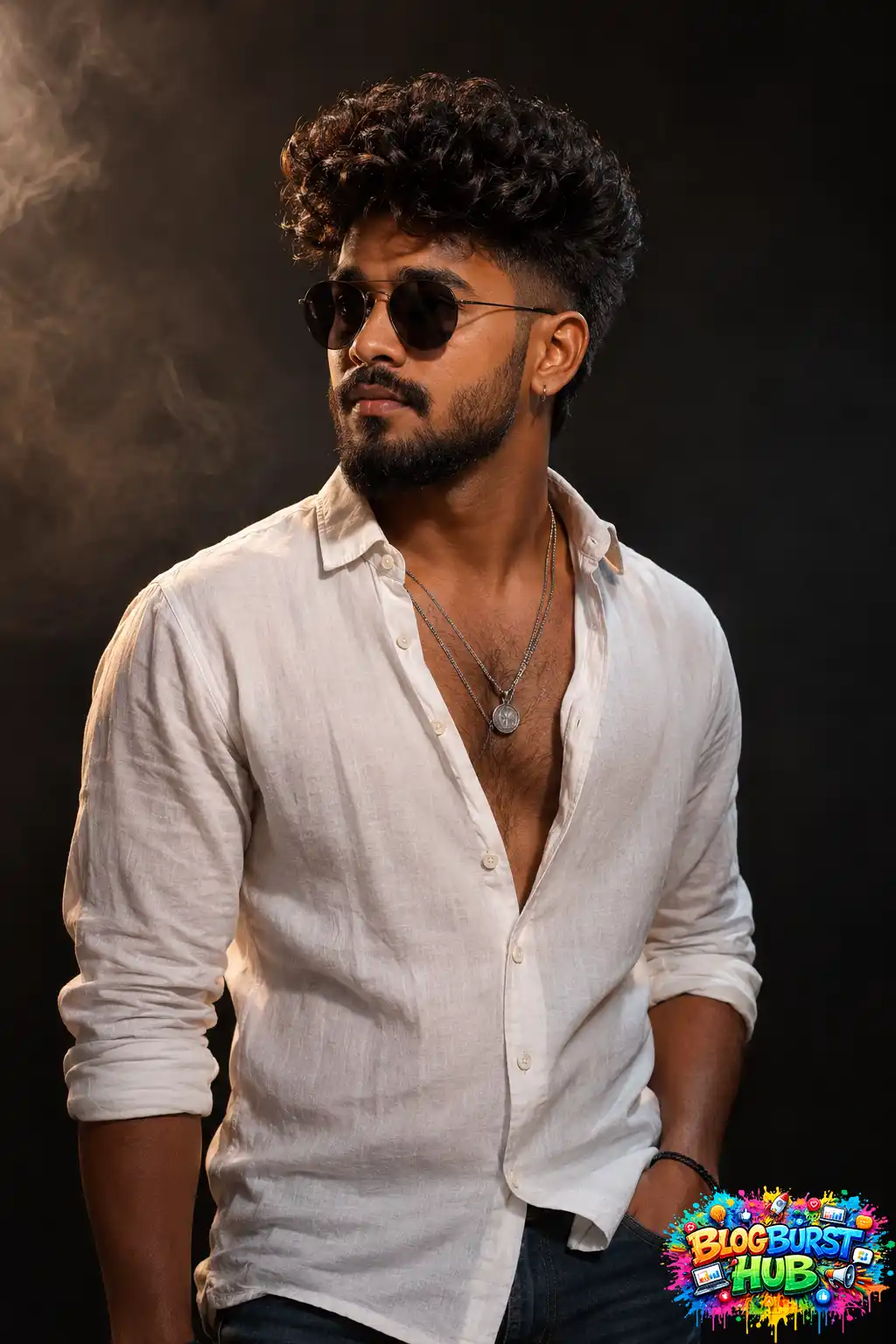
This image demonstrates how ChatGPT photo editing prompts can enhance fashion portraits using professional studio lighting, cinematic shadows, natural skin tones, luxury color grading, and high-resolution detail, making it ideal for fashion portfolios, branding, and editorial photography.
Fashion portrait edited with ChatGPT AI.
Prompt :
Ultra-realistic cinematic portrait of a stylish young man with thick dark curly hair in a textured high-volume fade haircut, well-groomed full beard and mustache, wearing matte black round sunglasses and a small silver hoop earring in one ear. He is dressed in a slightly wrinkled white linen button-up shirt with the top 4–5 buttons open, revealing chest hair and layered silver pendant necklaces. Sleeves rolled up to the forearms, one hand casually inside the jeans pocket, wearing dark blue jeans and a black wrist bracelet. Confident, masculine expression with head turned slightly left, looking away from the camera. Dramatic studio lighting with a warm key light from camera left and subtle rim light defining the jawline and shoulders. Dark smoky charcoal background with cinematic haze. High contrast, rich shadows, detailed skin texture, glossy curls, realistic beard strands, premium fashion editorial photography, luxury men’s lifestyle magazine, shallow depth of field, 85mm lens, f/1.8, HDR, ultra sharp focus, natural skin tones, photorealistic, 8K, masterpiece, highly detailed, professional color grading, moody atmosphere.
Tips for Writing Better ChatGPT Photo Editing Prompts
For the best results:
Be specific about the background.
Describe the lighting (golden hour, studio, cinematic, etc.).
Mention the color style you want.
Specify whether you want a realistic or artistic look.
Include quality terms like “8K,” “ultra-realistic,” or “professional photography.”
Mention what should stay unchanged, such as facial features or proportions.
Avoid overly vague instructions like “make it better.”
Frequently Asked Questions (FAQs)
Can ChatGPT edit photos?
Yes. ChatGPT can edit images by following detailed text instructions, such as removing objects, changing backgrounds, enhancing lighting, restoring old photos, or applying creative styles.
Are these prompts free?
Yes. Every prompt in this guide is completely free to copy, customize, and use.
Which photos work best?
You can use these prompts for:
Portraits
Selfies
Product photography
Food photos
Travel images
Wedding pictures
Pet photos
Landscapes
Business headshots
Social media content
Can I customize these prompts?
Absolutely. Add details like specific colors, locations, moods, lighting conditions, camera styles, or artistic references to achieve your desired result.
Final Thoughts
The quality of your AI-edited images depends heavily on the quality of your prompts. Instead of relying on generic requests, use clear, descriptive instructions that specify lighting, composition, background, color grading, and realism.
The copy-paste prompts in this guide are designed to save time while helping you create polished, professional-looking images for personal projects, business, eCommerce, or social media. Experiment with them, combine different ideas, and tailor each prompt to your photo for the best possible results.
If you bookmark one resource for AI photo editing, make it this collection—you’ll have a versatile library of prompts ready whenever inspiration strikes.